<?xml version="1.0" encoding="utf-8"?><feed xmlns="http://www.w3.org/2005/Atom" ><generator uri="https://jekyllrb.com/" version="3.10.0">Jekyll</generator><link href="https://modsoft.tools/feed.xml" rel="self" type="application/atom+xml" /><link href="https://modsoft.tools/" rel="alternate" type="text/html" /><updated>2026-11-02T23:15:47-08:00</updated><id>https://modsoft.tools/feed.xml</id><title type="html">Trey McNair</title><subtitle>Notes on tools, pipelines, and the technical side of the work.</subtitle><author><name>Trey McNair</name></author><entry><title type="html">Blender QuickCollision</title><link href="https://modsoft.tools/quickcollision-for-blender/" rel="alternate" type="text/html" title="Blender QuickCollision" /><published>2026-09-02T00:00:00-07:00</published><updated>2026-09-02T00:00:00-07:00</updated><id>https://modsoft.tools/quickcollision-for-blender</id><content type="html" xml:base="https://modsoft.tools/quickcollision-for-blender/"><![CDATA[<p>Hey! I’m sharing a free Blender add-on I’ve been working on for generating game-engine ready collision meshes.</p>

<p>QuickCollision can generate various box, sphere, capsule, and convex collision meshes from your selection, with game-engine-compliant collision naming. Convex hull generation uses an implementation of the StanHull algorithm from the PhysX toolchain. Inspired by a similar tool I was missing when switching from Maya to Blender. Hope others find this useful!</p>

<p>It’s free and open source here: <a href="https://github.com/modsoft/blender-quickcollision" target="_blank" rel="noopener">github.com/modsoft/blender-quickcollision</a></p>

<p>Full details:</p>

<hr />

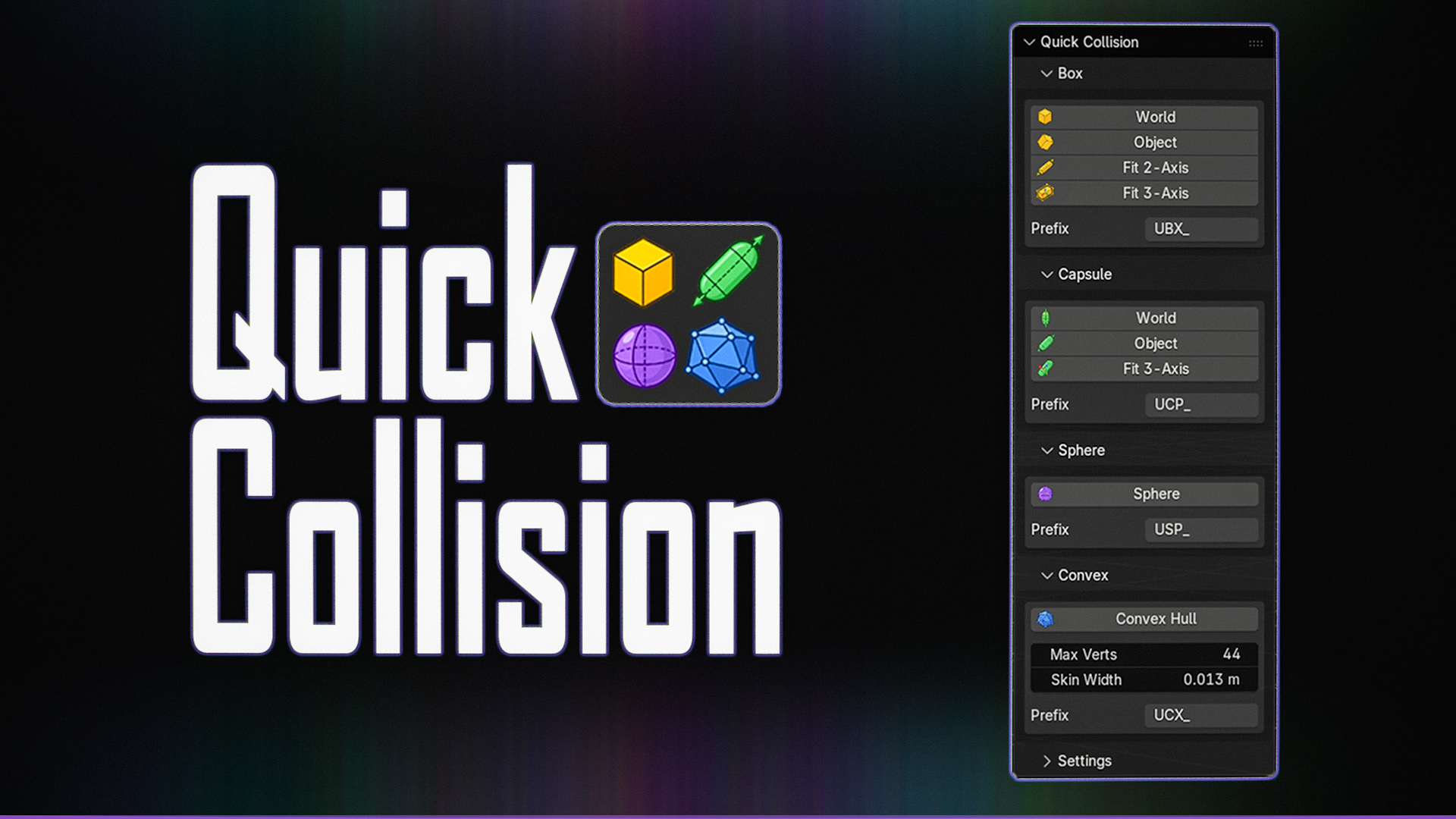
<p><img src="/assets/quickcollision/qc_splash.png" alt="qc_splash" /></p>

<h1 id="features">Features</h1>

<ul>
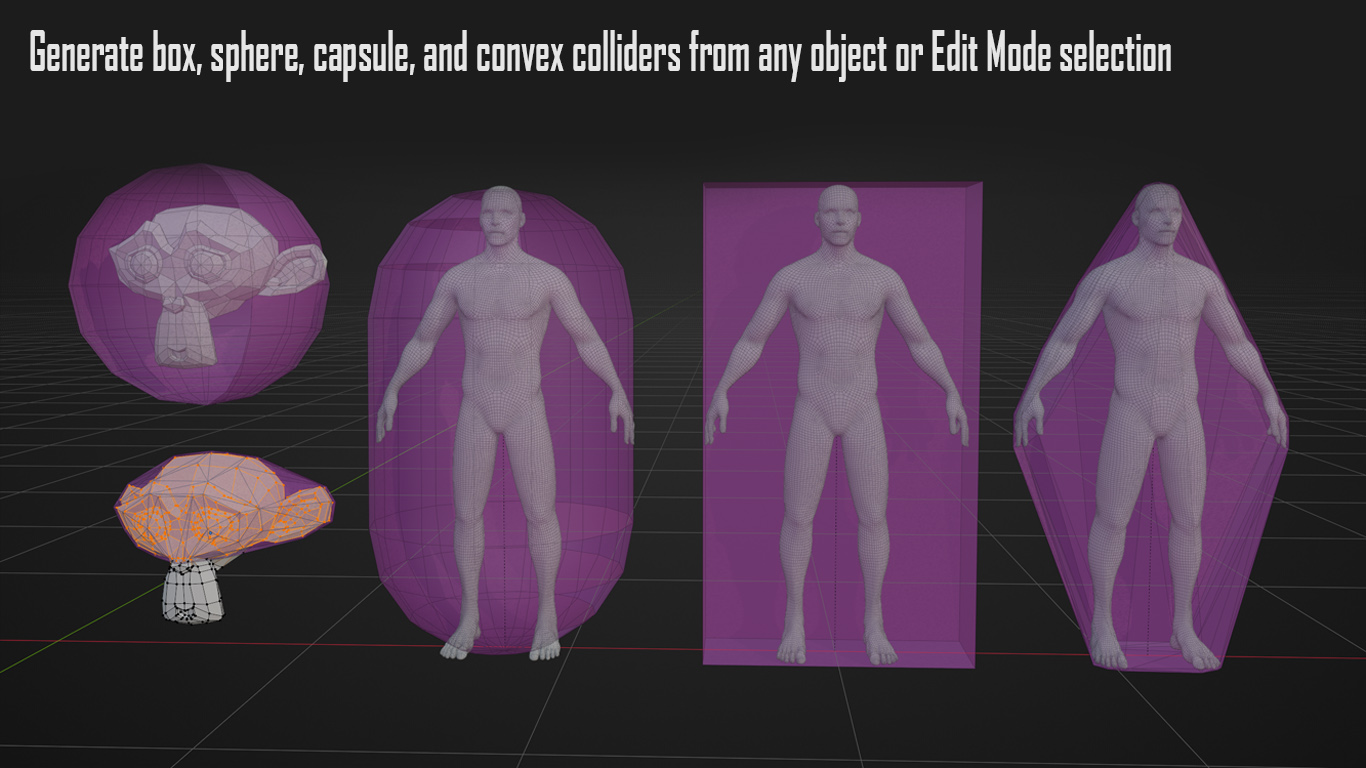
  <li>Generate box, sphere, capsule, and convex colliders from any object or Edit Mode selection</li>
  <li>Automatic Unreal Engine standard naming convention (<code class="language-plaintext highlighter-rouge">UBX_</code>, <code class="language-plaintext highlighter-rouge">USP_</code>, <code class="language-plaintext highlighter-rouge">UCP_</code>, <code class="language-plaintext highlighter-rouge">UCX_</code>) and suffix numbering <code class="language-plaintext highlighter-rouge">_00</code>, <code class="language-plaintext highlighter-rouge">_01</code>,…</li>
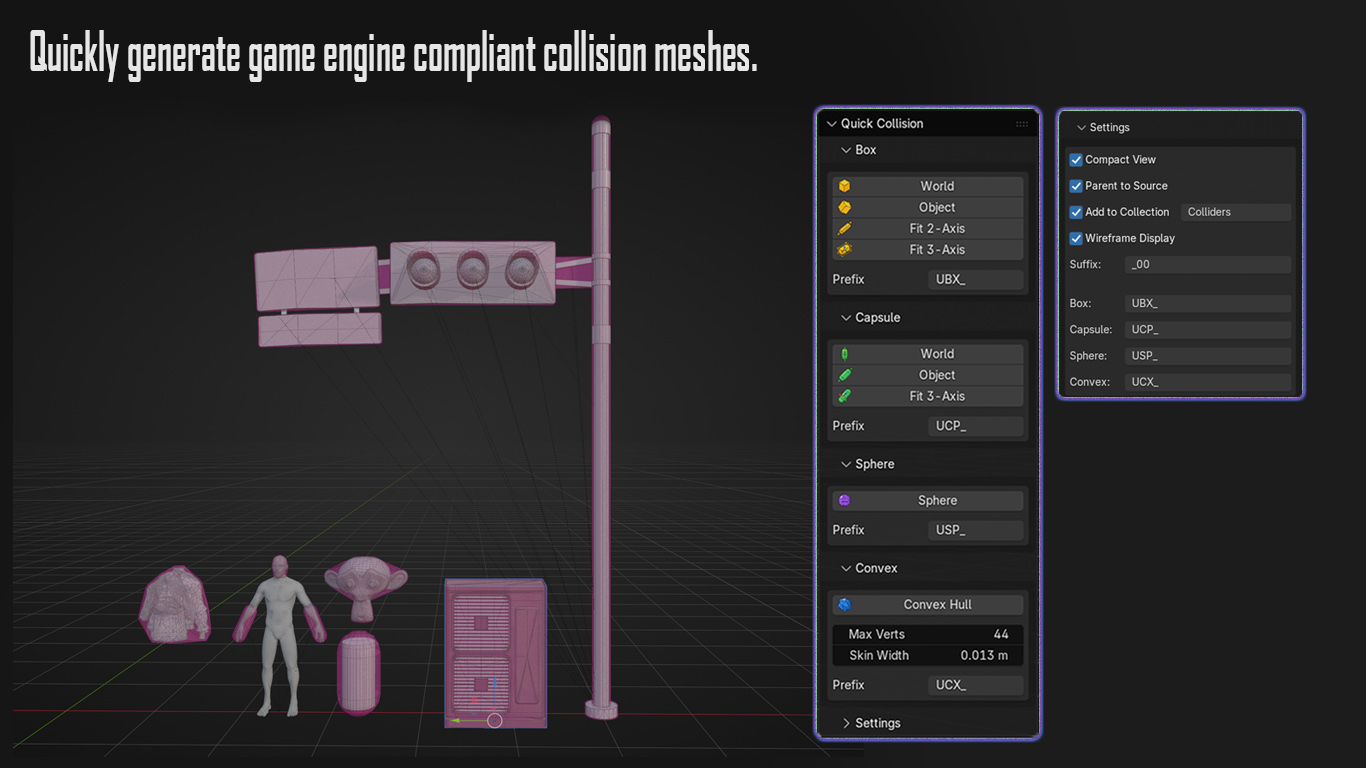
  <li>Colliders can be auto-parented to their source, gathered into a dedicated collection, and displayed as wireframe.</li>
  <li><strong>Convex generation generated with an implementation of StanHull</strong> — Stan Melax’s approximating hull algorithm from the PhysX toolchain. (Credit to Stan Melax and John Ratcliff.)</li>
</ul>

<p><img src="/assets/quickcollision/previews_01.png" alt="previews_01" /></p>

<p><img src="/assets/quickcollision/previews_02.png" alt="previews_02" /></p>

<ul>
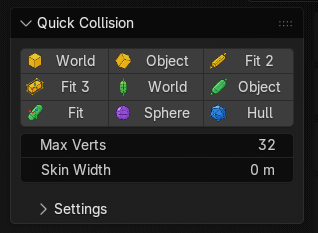
  <li><strong>Compact UI Mode</strong> <code class="language-plaintext highlighter-rouge">Settings &gt; Compact View</code></li>
</ul>

<p><img src="/assets/quickcollision/compact-ui.png" alt="image" /></p>

<h2 id="install">Install</h2>

<p>Blender 4.2 or newer.</p>

<p>Check Releases or Code &gt; Download Zip for latest.</p>

<p>Drag the zip onto Blender, or install from <strong>Edit → Preferences → Get Extensions → Install from Disk</strong>.
The tools are in the <strong>Quick Collision</strong> tab of the 3D Viewport sidebar.</p>

<h2 id="license">License</h2>

<p>The add-on (Python) is <strong>GPL-3.0-or-later</strong>. See <a href="https://github.com/modsoft/blender-quickcollision/blob/main/LICENSE">LICENSE</a>.</p>

<ul>
  <li><strong>StanHull</strong> (<code class="language-plaintext highlighter-rouge">native/</code>, <code class="language-plaintext highlighter-rouge">stanhull-win64.dll</code>, <code class="language-plaintext highlighter-rouge">stanhull-linux64.so</code>): BSD-3-Clause. See <a href="https://github.com/modsoft/blender-quickcollision/blob/main/native/LICENSE">native/LICENSE</a> and <a href="https://github.com/modsoft/blender-quickcollision/blob/main/NOTICE">NOTICE</a>.</li>
  <li><strong>Icons</strong> (<code class="language-plaintext highlighter-rouge">icons/*.png</code>): <a href="https://github.com/modsoft/blender-quickcollision/blob/main/icons/LICENSE">CC0 1.0</a>.</li>
</ul>]]></content><author><name>Trey McNair</name></author><summary type="html"><![CDATA[Hey! I’m sharing a free Blender add-on I’ve been working on for generating game-engine ready collision meshes. QuickCollision can generate various box, sphere, capsule, and convex collision meshes from your selection, with game-engine-compliant collision naming. Convex hull generation uses an implementation of the StanHull algorithm from the PhysX toolchain. Inspired by a similar tool I was missing when switching from Maya to Blender. Hope others find this useful! It’s free and open source here: github.com/modsoft/blender-quickcollision]]></summary></entry><entry><title type="html">Mod Tools</title><link href="https://modsoft.tools/mod-tools/" rel="alternate" type="text/html" title="Mod Tools" /><published>2026-08-20T00:00:00-07:00</published><updated>2026-08-20T00:00:00-07:00</updated><id>https://modsoft.tools/mod-tools</id><content type="html" xml:base="https://modsoft.tools/mod-tools/"><![CDATA[<p>Hey! I’m sharing a free Blender add-on I’ve been working on: various Maya-inspired functions, selection helpers, and hotkeys, along with a modeling kit toolbar.</p>

<p>It’s free and open source here: <a href="https://github.com/modsoft/blender-modtools" target="_blank" rel="noopener">github.com/modsoft/blender-modtools</a></p>

<p>Full details:</p>

<hr />

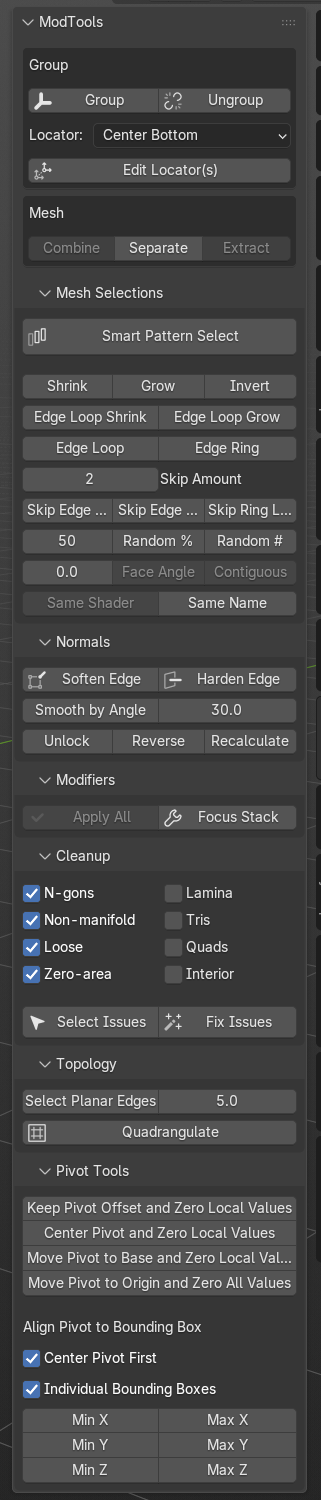
<p><img src="/assets/modtools/toolbar.png" alt="ModTools panel" /></p>

<h2 id="install">Install</h2>

<p>Blender 5.2.</p>

<p>Zip this repo and install from <strong>Edit → Preferences → Add-ons → Install from Disk</strong>. Enable <strong>ModTools</strong>.</p>

<p>Or clone it into your add-ons folder as <code class="language-plaintext highlighter-rouge">modtools</code>:</p>

<div class="language-plaintext highlighter-rouge"><div class="highlight"><pre class="highlight"><code>git clone https://github.com/modsoft/blender-modtools.git modtools
</code></pre></div></div>

<h2 id="tools">Tools</h2>

<p>N-panel → ModTools.</p>

<ul>
  <li><strong>Group / Ungroup</strong> — Ctrl+G / Ctrl+Shift+G. Edit Locator moves a group’s Empty without dragging its contents along.</li>
  <li><strong>Mesh</strong> — Combine, Separate, Extract</li>
  <li><strong>Mesh Selections</strong> — Smart Pattern Select, grow/shrink, loops and rings, skip loop/ring, random, face angle, same shader or name</li>
  <li><strong>Normals</strong> — Soften/Harden Edge, Smooth by Angle, Unlock, Reverse, Recalculate</li>
  <li><strong>Modifiers</strong> — Apply All, Focus Stack</li>
  <li><strong>Cleanup</strong> — select or fix n-gons, non-manifold, loose geometry, zero-area faces and the rest. Works on a component selection, or the whole mesh if nothing is selected.</li>
  <li><strong>Topology</strong> — Select Planar Edges, then dissolve with Ctrl+X to un-triangulate. Quadrangulate joins tris back into quads.</li>
  <li><strong>Pivot</strong> — zero local values, snap origin to base/center/world, align to bounding box</li>
</ul>

<p>Buttons grey out when they don’t apply. Hover to see why.</p>

<p>Shortcuts are assigned in <strong>Edit → Preferences → Add-ons → ModTools</strong>, grouped by section.</p>

<h2 id="smart-pattern-select">Smart Pattern Select</h2>

<p>Pick two edges on the same loop or ring, press the button, and the spacing between them repeats along the whole run. Selecting every third edge is two clicks instead of counting your way around.</p>

<h2 id="changelog">Changelog</h2>

<h3 id="v023">v0.2.3</h3>

<p>Hot-fix for some installation paths</p>

<h3 id="v022">v0.2.2</h3>

<p>Check for Updates in the add-on preferences.
UI refactor</p>

<h3 id="v020">v0.2.0</h3>

<p>Mesh Selections section, including Smart Pattern Select.
Topology section with Select Planar Edges and Quadrangulate.
Cleanup respects a component selection.
Buttons grey out based on context.
Settings saved in the .blend.</p>

<h3 id="v010">v0.1.0</h3>

<p>Initial commit.</p>

<h2 id="license">License</h2>

<p>GPL-3.0. See <a href="https://github.com/modsoft/blender-modtools/blob/master/LICENSE">LICENSE</a>.</p>]]></content><author><name>Trey McNair</name></author><summary type="html"><![CDATA[Hey! I’m sharing a free Blender add-on I’ve been working on: various Maya-inspired functions, selection helpers, and hotkeys, along with a modeling kit toolbar.]]></summary></entry></feed>